Handling Overseas Bot Traffic in Cloudflare

Categorised in: Web Development / Technical SEO
Published:
No matter what settings you apply to block bot traffic in Cloudflare, there still seem to be a ton of scrapers getting through. Bot Fight Mode, managed rules and country challenges all help, but a scraper running a proper headless browser looks a lot like a real visitor, and that's exactly the stuff that slips past.
One of my sites, which has over 200k pages, seems to get absolutely hammered by these bots. Every page is something to crawl, so once the bots find it they don't stop after a handful of requests. They work through the whole thing.
How I found out
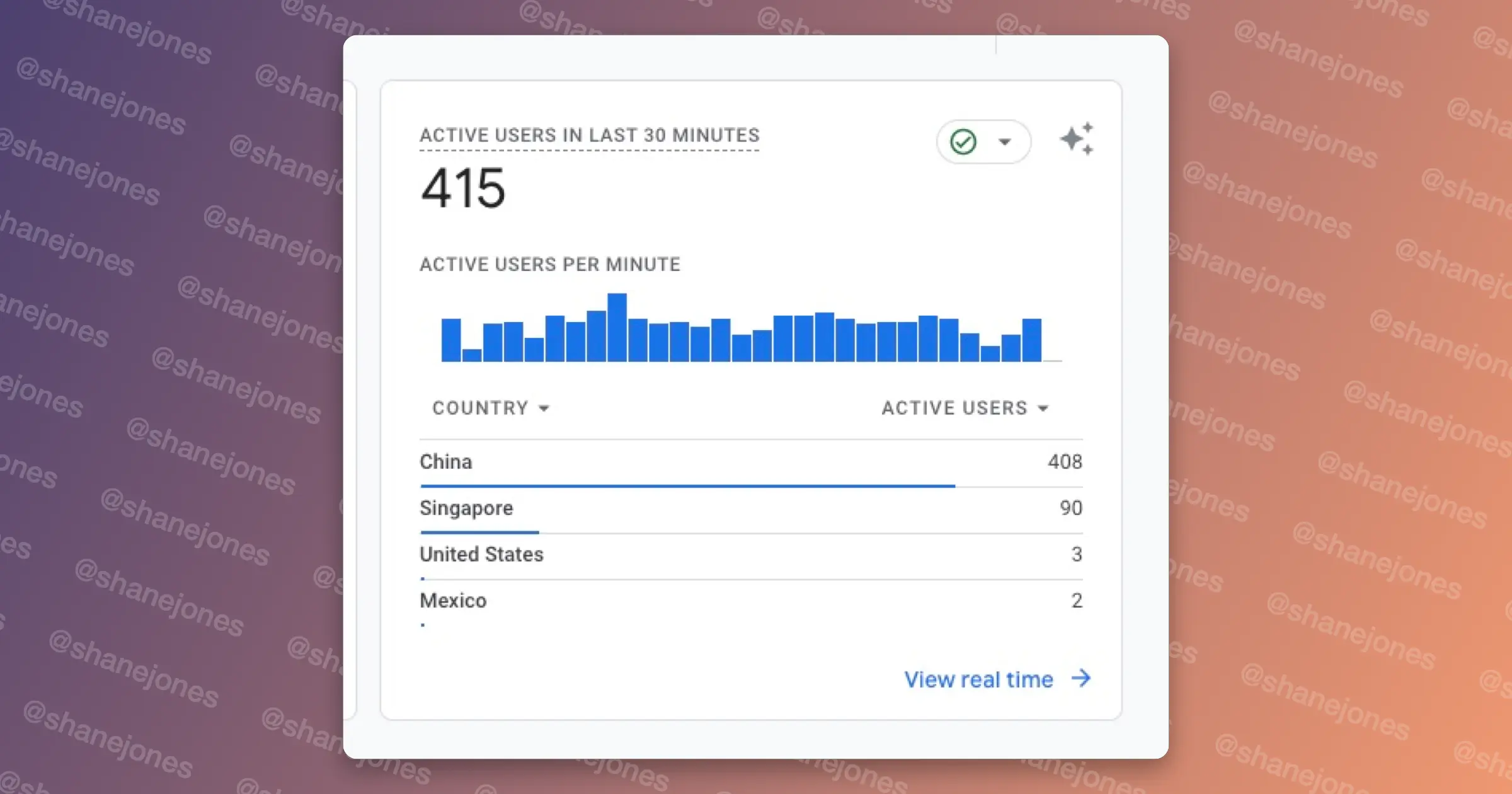
Because I don't really sit on analytics for a lot of my playground sites, I wasn't the one who spotted it. My ad supplier did. They emailed me accusing me of inflating my traffic to manipulate RPM, and the email wasn't fun to receive.
To be fair to them, I can see why. These bots weren't just pulling HTML. They were running JavaScript, which is how they showed up in Analytics at all, so the ad scripts loaded too. Thousands of impressions with nobody actually behind them look exactly like invalid traffic, and ad networks don't hang around working out whether you're the victim or the one doing it. If you're running ads on a big site, that's the real cost here. It's not the bandwidth, it's your reputation with the ad network.
What I tried first
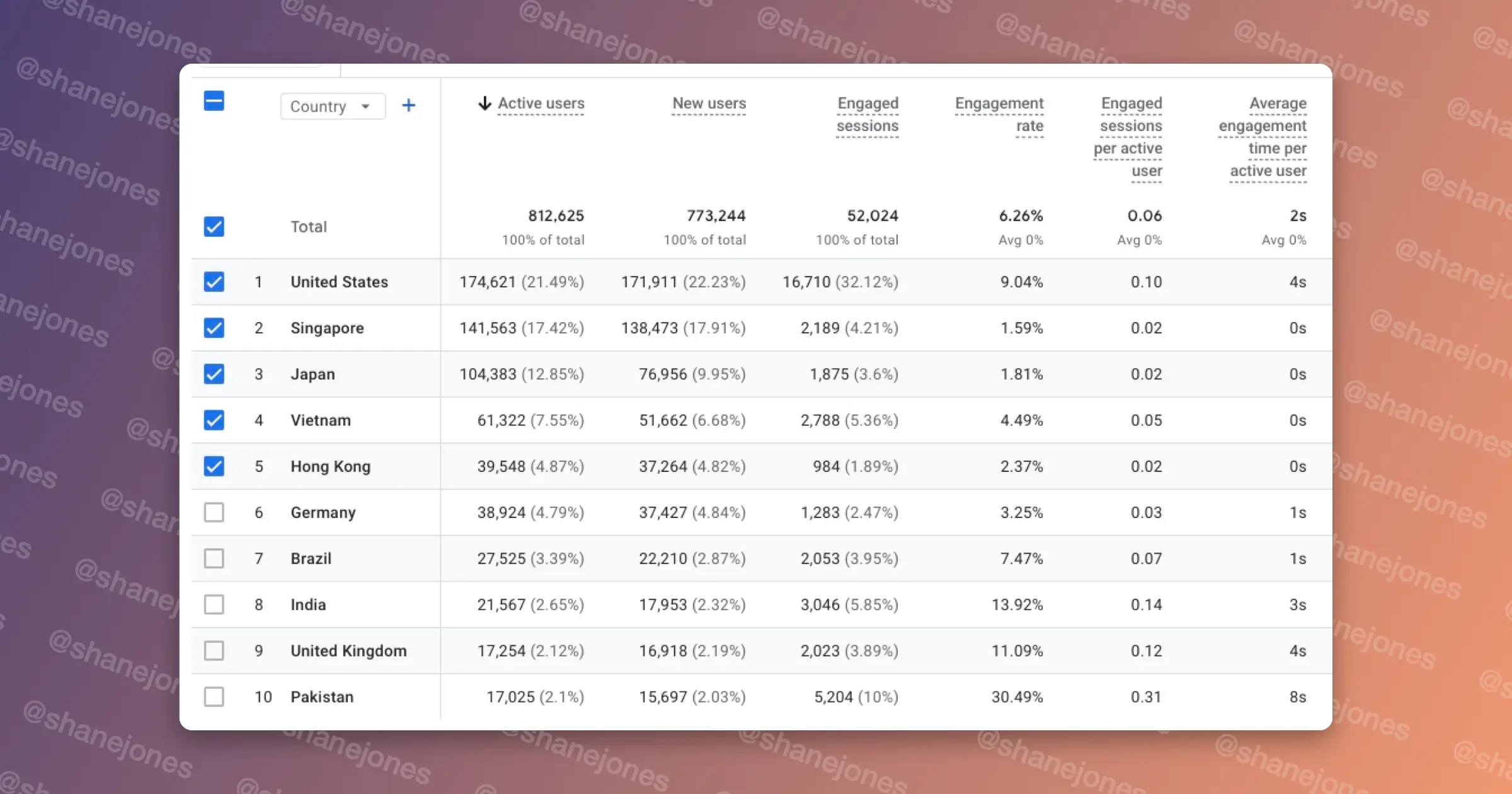
I started with the recommended bot settings in Cloudflare, and added a managed challenge for some of the countries most of the traffic was coming from, using the settings below. This worked for a while, and then the traffic crept back.
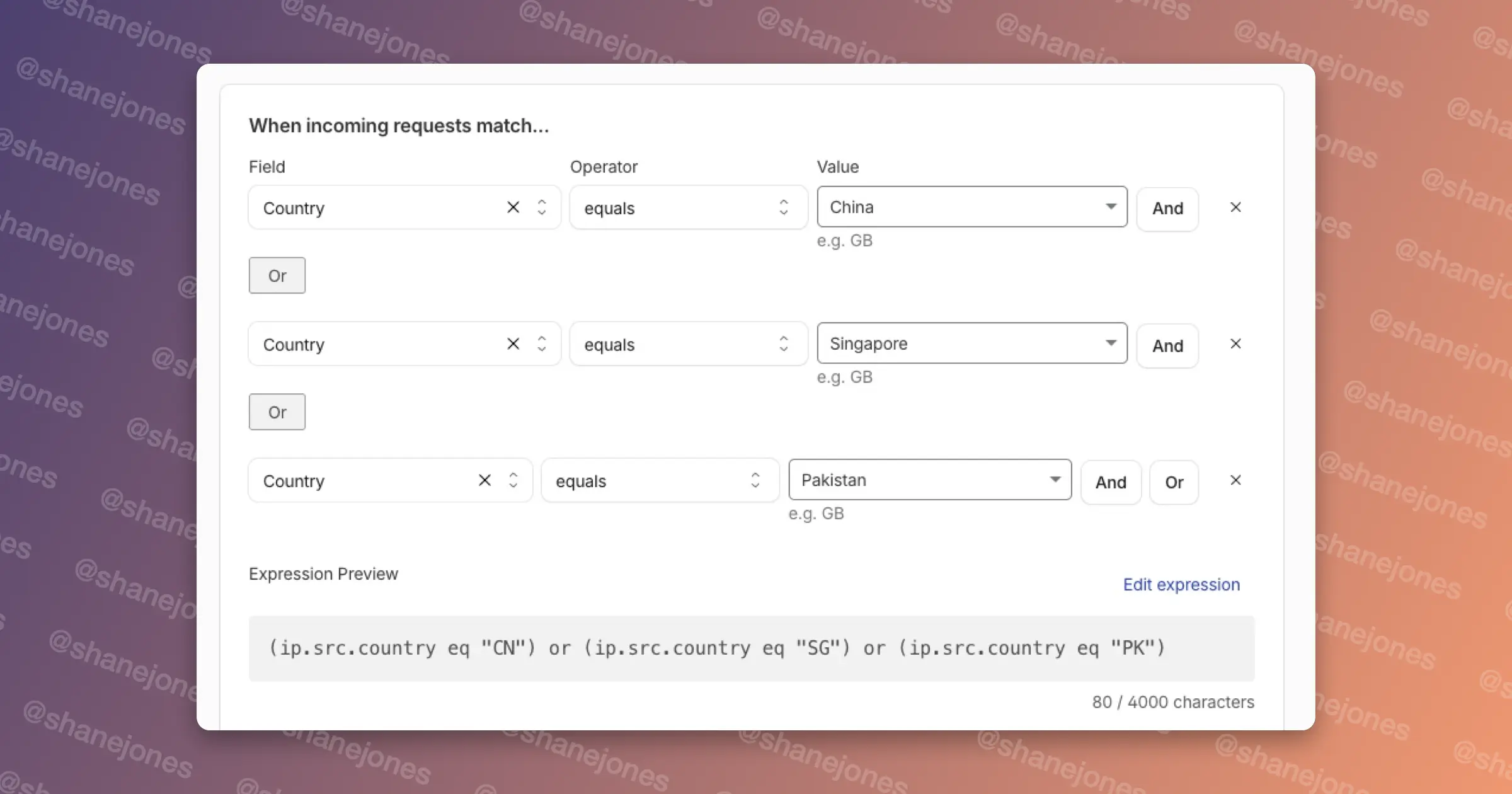
Next, I tried blocking by ASN. An ASN identifies the network an IP address belongs to, so instead of chasing individual IPs you can challenge whole hosting providers and proxy networks where scrapers tend to run. Real visitors rarely browse from a data centre, so it's a fairly safe rule. Again, it only worked temporarily, because the scrapers moved to networks I hadn't listed.
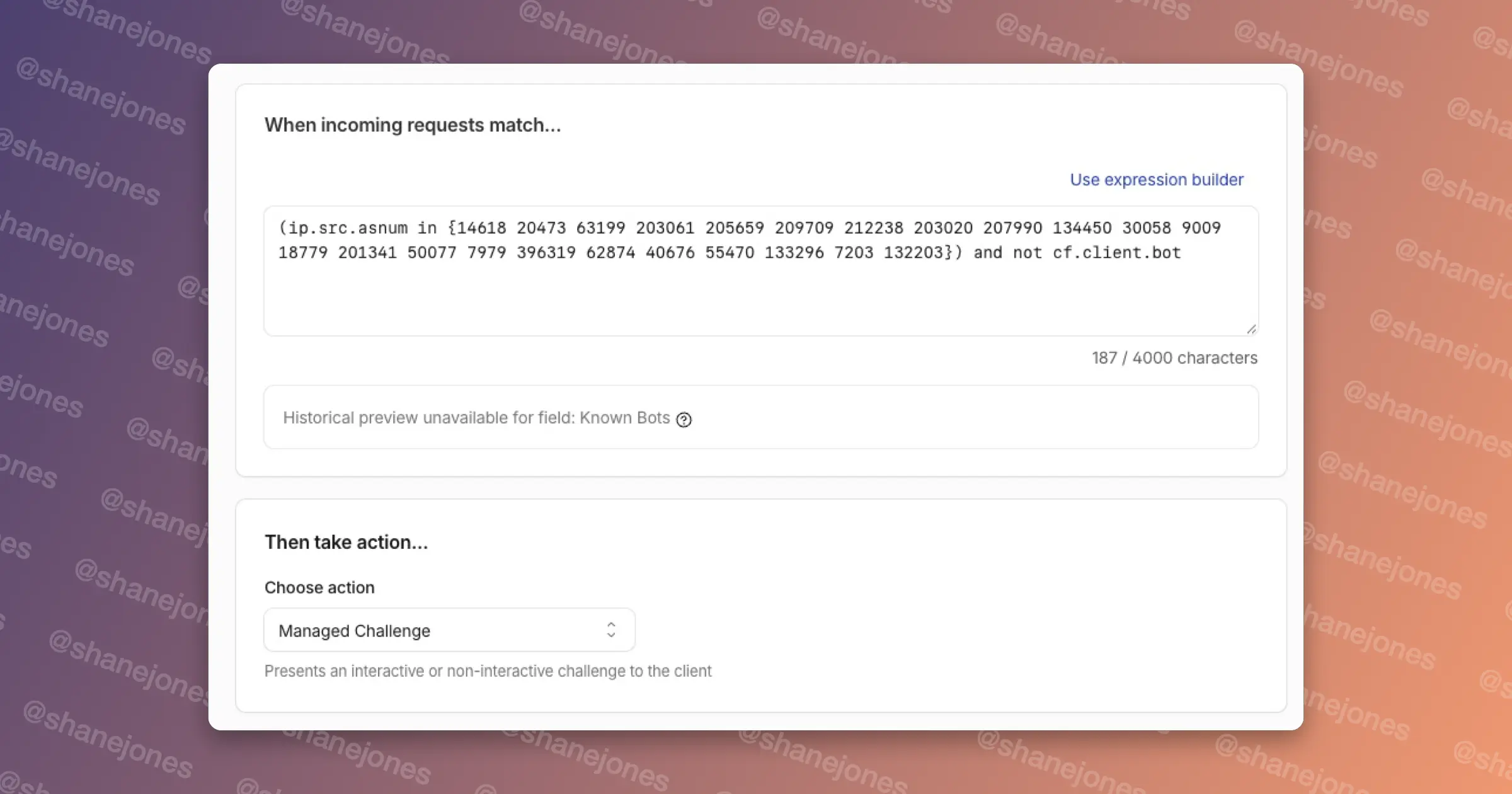
Both approaches have the same weakness. They target where the traffic comes from, and that's the easiest thing for a scraper to change.
Finding a pattern
So I went digging for something they couldn't change as easily. Anyone running Puppeteer or similar tools at scale usually launches every instance with the same settings: same browser, same viewport. Hardly anyone bothers to randomise it.
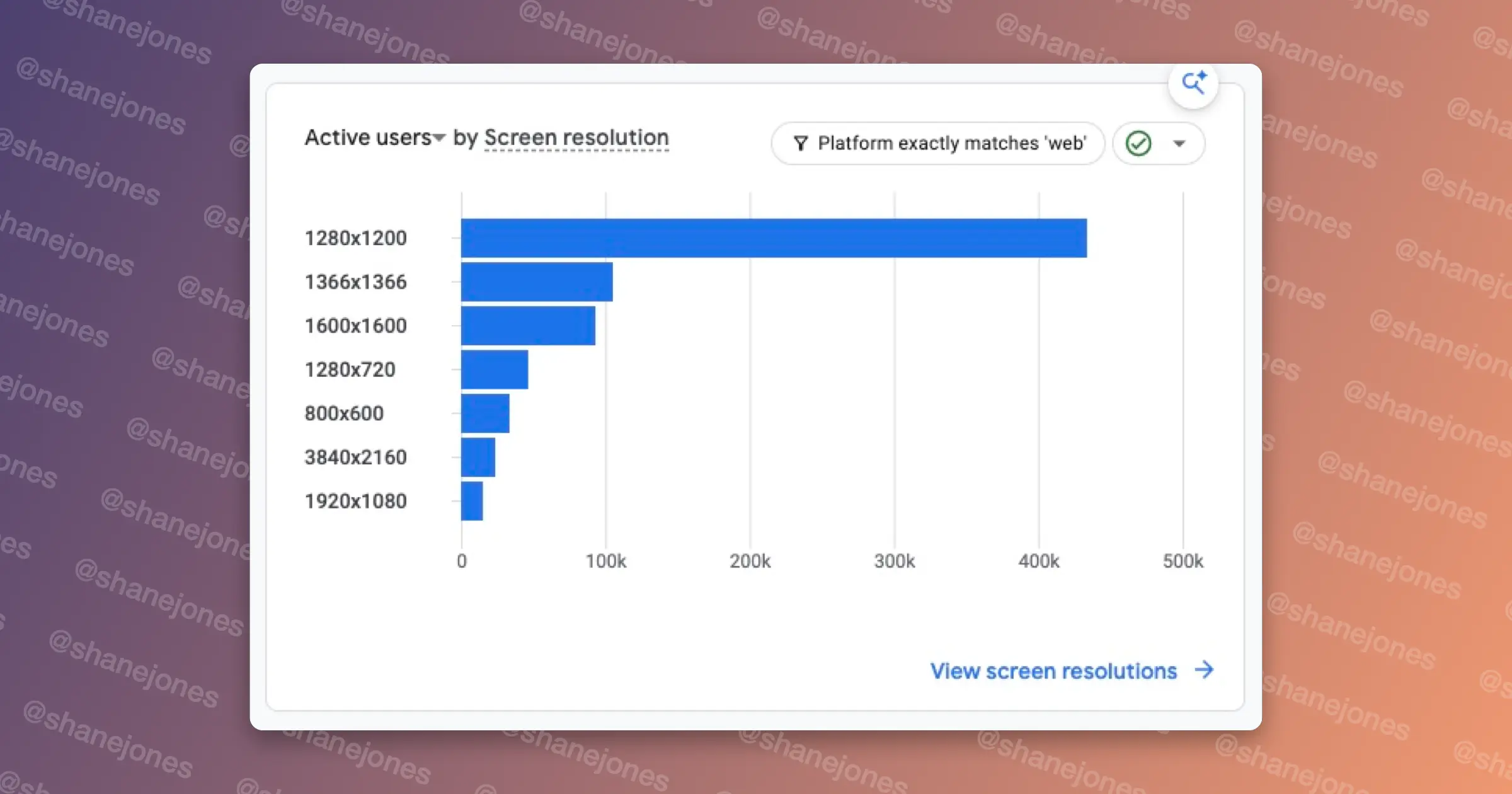
Drilling down into the Tech overview in GA4, you can blatantly see some patterns: 1280x1200, 1366x1366 and 1600x1600.
As a monitor enthusiast, I'm not too familiar with these square screens! Real monitors and phones pretty much never come in these sizes, so it's a dead giveaway that you're looking at a headless browser with a default or made-up viewport.
Getting the screen resolution into Cloudflare
The catch is that Cloudflare can't see screen resolution, because browsers don't send it with requests. So we need the browser to tell us. A small bit of JavaScript drops a cookie with the user's screen resolution, and because cookies are sent back with every request, Cloudflare can read it.
<script is:inline data-cfasync="false">
(() => {
  const width = window.screen.width || 0;
  const height = window.screen.height || 0;

  document.cookie = "X-Screen-Resolution=" + width + "x" + height + "; path=/; SameSite=Strict";
})();
</script>
A couple of notes on the script:
- is:inline is Astro-specific. It stops Astro from bundling the script. If you're not using Astro, remove it.
- data-cfasync="false" stops Cloudflare's Rocket Loader from delaying the script, so the cookie gets set as early as possible.
- Put it in the <head> so it runs before anything else on the page.
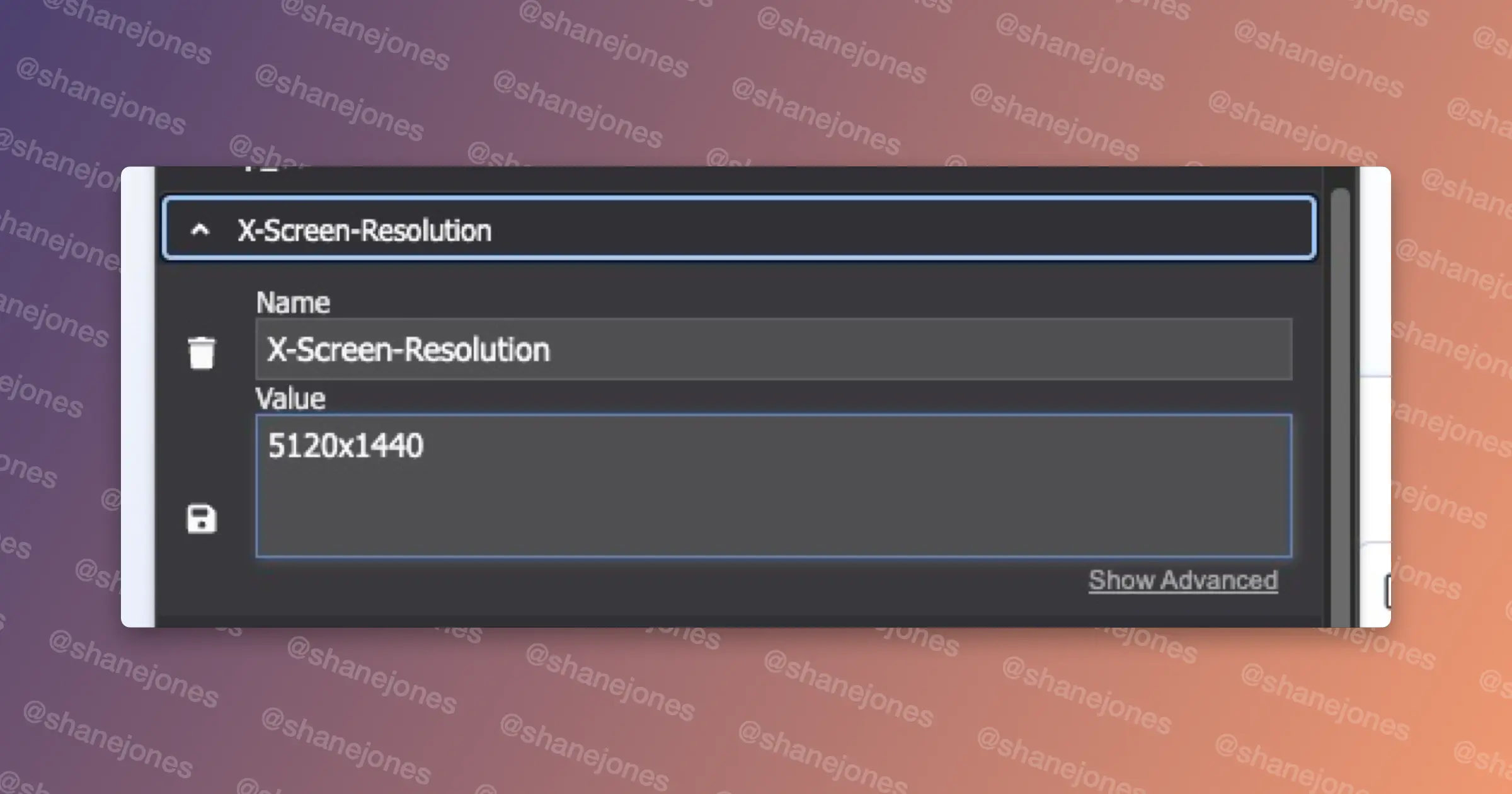
Once it's deployed, you can check the output with a cookie reader, or in DevTools under Application → Cookies.
Creating the rule
Now we can create a custom rule in Cloudflare's security rules that targets this cookie with the offending screen sizes:
(http.cookie contains "X-Screen-Resolution=1280x1200" or
http.cookie contains "X-Screen-Resolution=1366x1366" or
http.cookie contains "X-Screen-Resolution=1600x1600")
and not cf.client.bot
Set the action to Managed Challenge. The cf.client.bot bit lets verified crawlers like Googlebot through, as Google renders JavaScript and would otherwise set the cookie too. If you add the Skip rule covered below, you can leave this part out.
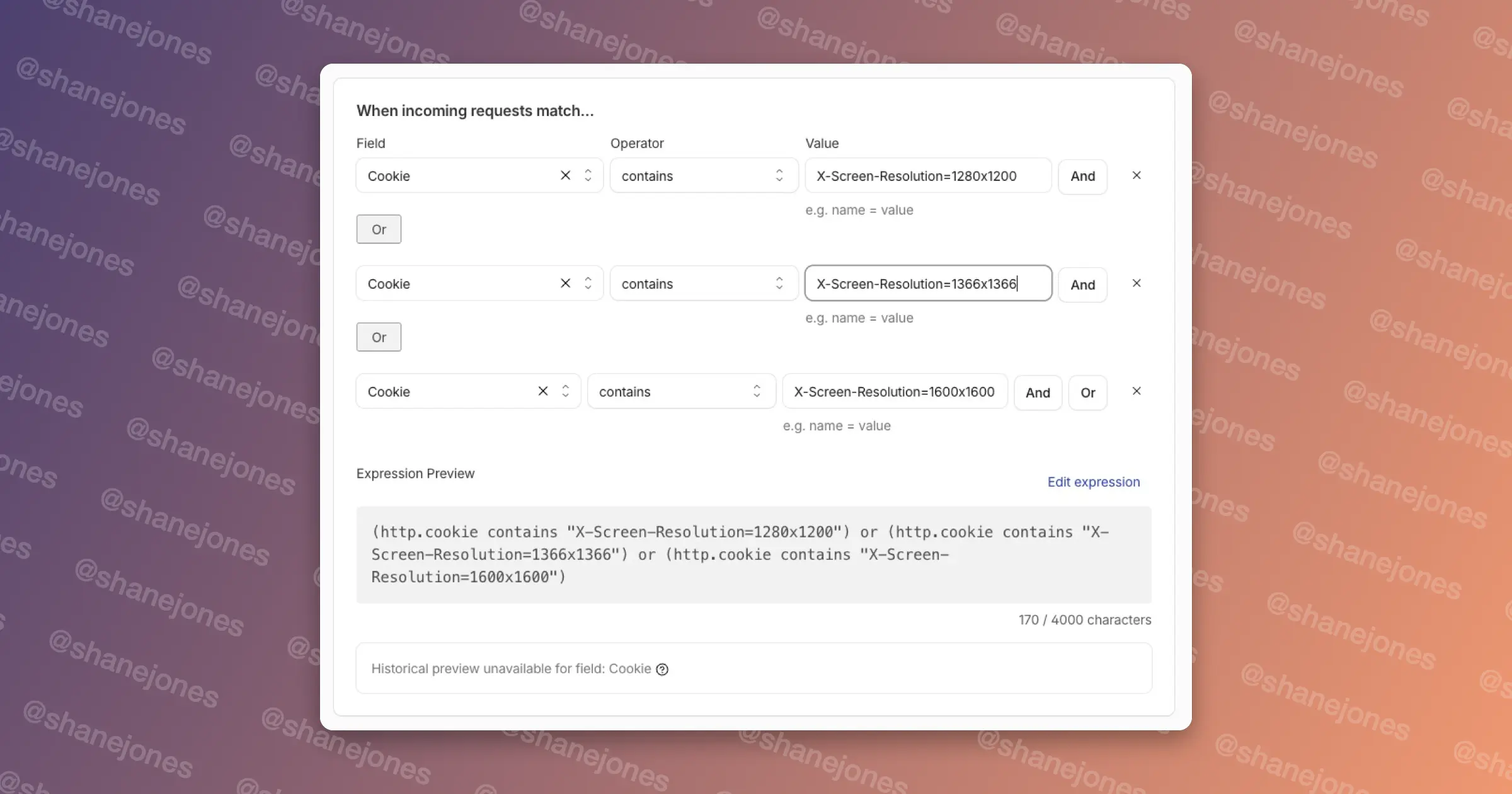
Once it's active, any scraper reporting one of these screen sizes gets stuck at a Cloudflare managed challenge. I've deliberately used a challenge rather than a block, so if a real person does turn up on an unusual monitor, they pass the challenge and carry on browsing.
Using all three rules together
On their own, the country and ASN rules only got me so far, but stacked with the screen resolution rule they work really well. The first two thin out the obvious stuff, and the cookie rule picks off the headless browsers that make it past them.
The order matters, though. Cloudflare runs custom rules from top to bottom, and once a request hits a Block or a Challenge it stops there, so the rules further down never see it. This is the order I'd go with:
- Skip verified bots. A rule at the top using cf.client.bot with the Skip action means Googlebot and friends never touch any of the rules below.
- ASN rule. Data centre and proxy networks are the most clear-cut, and almost nobody browses from them, so catch these first.
- Screen resolution rule. This picks up the headless browsers coming through networks the ASN rule doesn't cover.
- Country challenge. This is the broadest rule and the one most likely to catch real people, so it goes last and only sees whatever's left.
Having them in this order also makes the Security Events log a lot more useful, because you can see which rule is actually doing the work. If the country rule is barely matching anything after a week or two, you might not need it at all.
Limitations
- The first request still gets through. The cookie is only set once the first page has loaded, so Cloudflare only sees it from the second request onwards. On a site where bots crawl thousands of pages, that still catches nearly all of their traffic.
- It only catches bots that run JavaScript. Basic scrapers never execute the script, so they never set the cookie. They don't trigger ad impressions either, and Cloudflare's built-in bot tools are better at catching them anyway.
- It's easy to beat if someone's paying attention. A scraper could change its viewport or ignore the cookie. This works because most don't bother, so keep an eye on your resolution report and add new sizes as they appear.
Going further
Screen resolution isn't the only thing JavaScript can see that headless browsers tend to give away. Here are a few more you can drop into the same cookie script, roughly from strongest to weakest:
- navigator.webdriver. This is true in most automated browsers unless the scraper has gone out of its way to hide it, and it's basically never true for real visitors.
- Graphics card. Headless browsers on servers often report a software renderer like SwiftShader or llvmpipe instead of a real GPU, which real desktops and phones almost never do.
- Time zone. Server containers often report UTC, so someone claiming UTC from a US or Asian IP is a bit suspect. Cloudflare can combine the cookie with ip.src.country for this, but I'd only challenge on it, as some real people do set UTC.
- Window size of zero. Some headless setups report an outerWidth and outerHeight of 0. Newer headless Chrome gets this right, so it's a weaker signal.
- CPU cores and memory. Low values are common in containers, but plenty of cheap laptops look the same, so only use these alongside something else.
Here's the script with a few of these added:
<script is:inline data-cfasync="false">
(() => {
  let gpu = "";
   try {
     const gl = document.createElement("canvas").getContext("webgl");
     const ext = gl && gl.getExtension("WEBGL_debug_renderer_info");
     gpu = ext ? gl.getParameter(ext.UNMASKED_RENDERER_WEBGL) : "";
   } catch (e) {}

  const set = (k, v) => document.cookie = k + "=" + encodeURIComponent(v) + ; path=/; SameSite=Strict";
  set("X-Screen-Resolution", screen.width + "x" + screen.height);
  set("X-WD", navigator.webdriver ? "1" : "0");
  set("X-TZ", Intl.DateTimeFormat().resolvedOptions().timeZone || "");
  set("X-GPU", gpu);
})();
</script>
Then you can match on them the same way as before, for example http.cookie contains "X-WD=1" or http.cookie contains "SwiftShader".
One thing I wouldn't do is challenge every request that doesn't have the cookie. That would hit every first-time visitor landing from Google, which on a 200k page site is most of your traffic.
Results
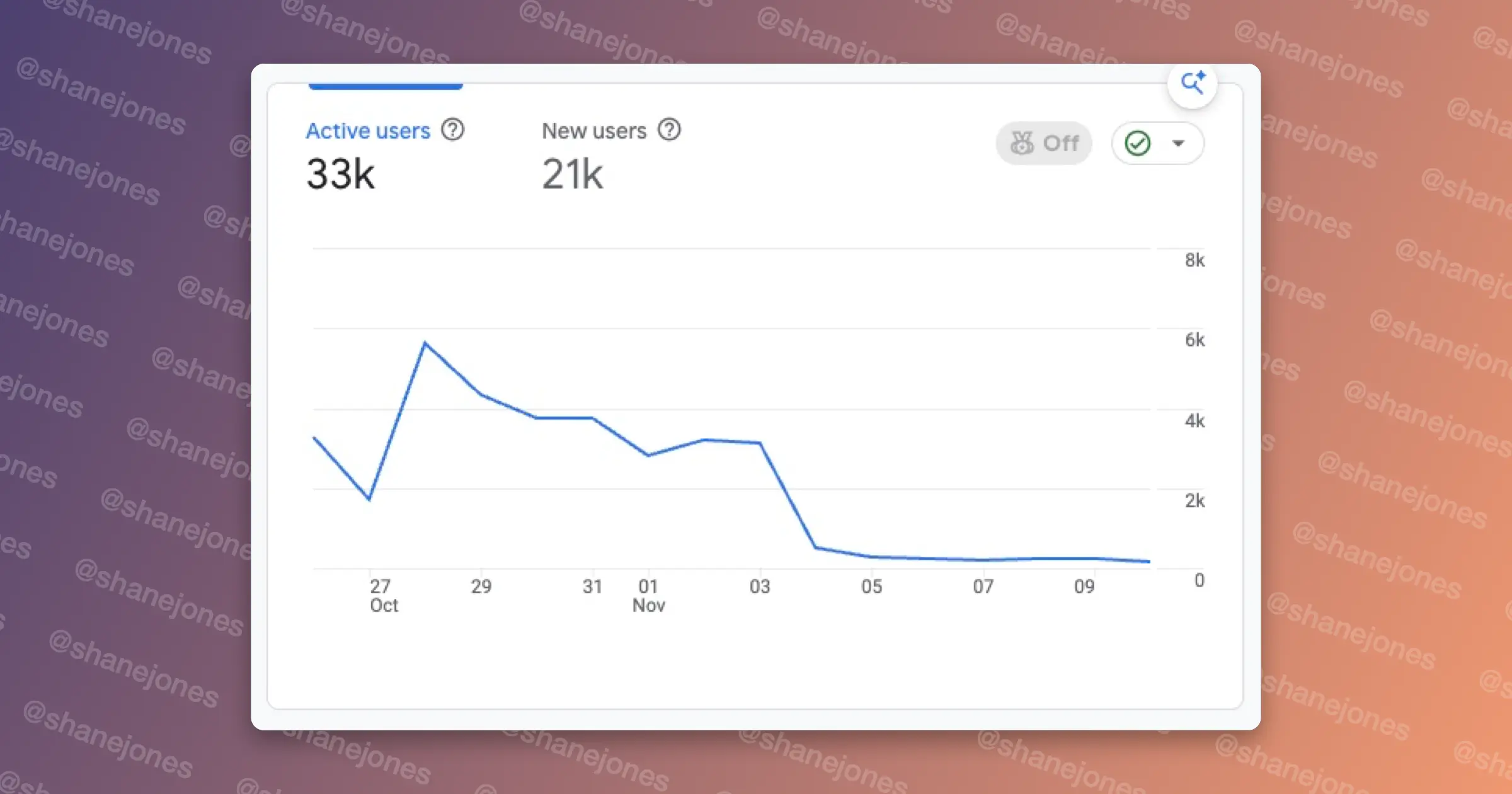
The rules went live on 3 November. Before that, the site was reporting anywhere between 3,000 and 5,800 active users a day with one day peaking at over 12,000 active users. The day after these rules went live, it fell to around 500, and it has sat at around 300 a day since. That's roughly a 90% drop, and I'd bet very little of what disappeared was ever human.